Data Tokens: Centralized, reusable values for your projects
- Authors
- Link
- Alex Noel

- Last updated
We’re excited to announce Data Tokens — a new feature that lets you centralize and reuse values across your entire project in dynamic value expressions.
What are Data Tokens?
Data tokens let you define a value once and reuse it anywhere you use dynamic values. Instead of repeating the same value or expression in multiple places, you create a token and reference it throughout your project.
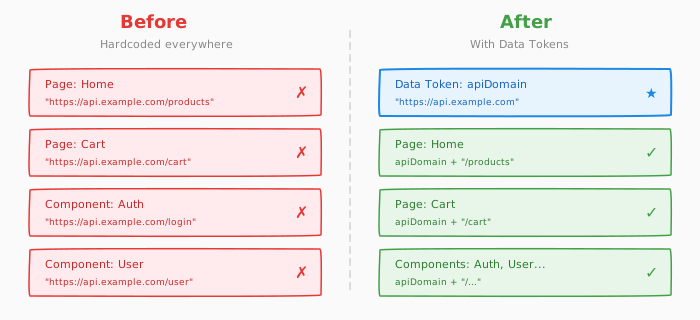
There are three types of data tokens:
- Text — for string values like labels, messages, or configuration strings
- Number — for numeric values like quantities, thresholds, or calculations
- Code — for JavaScript expressions that compute values dynamically
Under the hood, each token becomes a JavaScript variable that you can use in your expressions.
Use cases
Data tokens are useful when you need to:
- Centralize configuration — Define a value once and reference it across multiple components and pages
- Create reusable expressions — Write a code expression once as a token, then use it wherever needed
- Simplify complex logic — Break down complicated dynamic values into smaller, named pieces
- Keep values consistent — Update a token in one place and have it reflected everywhere it’s used
How it works
- Create a data token
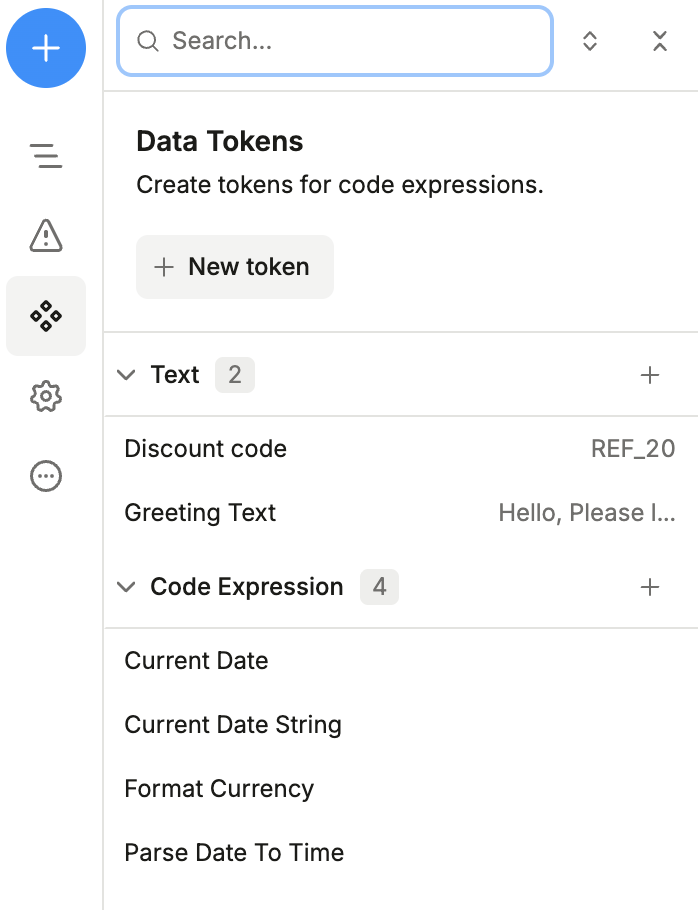
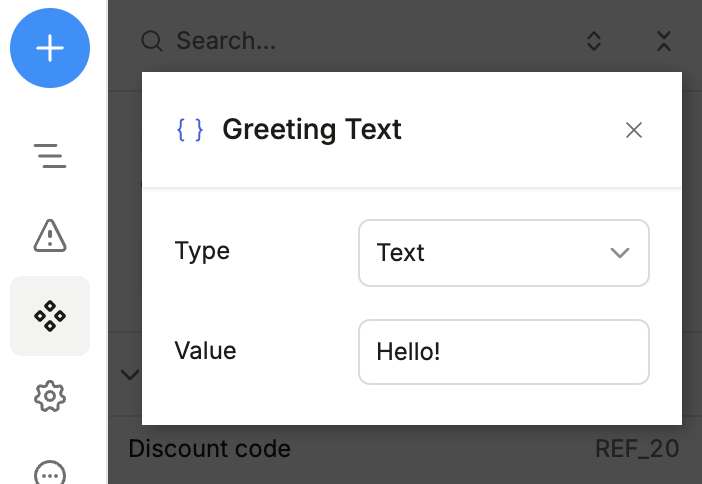
- Give it a name, set its type (text, number, or code), and value
- Reference the token by name in any dynamic value expression
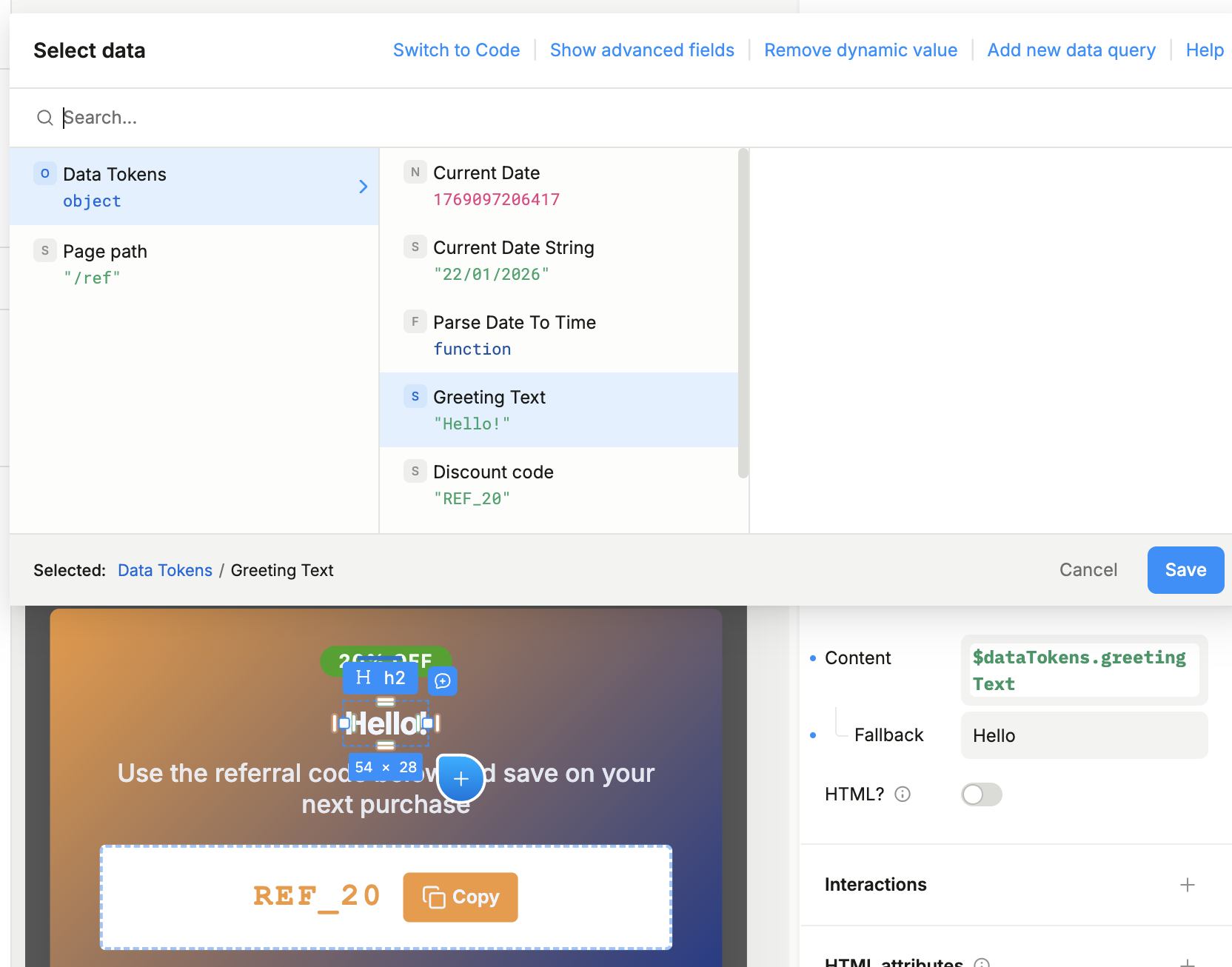
Since tokens are exposed as JavaScript variables, you can use them in calculations, string concatenation, conditional logic, and more.
Get started
Data tokens are available now in Plasmic Studio. Check out the documentation to learn more:
Read the Data Tokens documentation →
If you’re new to dynamic values, start with the dynamic values guide to understand how data tokens fit into the bigger picture.
Follow @plasmicapp on Twitter for the latest updates.